 TBI Lab
Electronics Engineering Workspace
A real electronics lab for ESP32, in your browser
Build a circuit, write Arduino code and run it on a simulated ESP32, then see what actually happens in the circuit. An engineering tool, not a game.
Works on a computer with Chrome or Edge.
Built for engineering, not for show
Real, deterministic simulation
Voltages, currents and timing come from a simulation engine, not from an animation. The same circuit gives the same result every time.
Parts flagged beyond their limits
A part driven past its manufacturer’s absolute maximum ratings is marked as “may be damaged”, so you find out on screen and not on the bench.
Wiring errors explained
A wrong connection is not hidden. You get an explanation of what is wrong and where.
Honest “not supported”
What cannot yet be simulated reliably is stated openly. There are no fake results.
ESP32, Arduino and real parts
Arduino code on a classic ESP32, with an HC-SR04 distance sensor, a temperature sensor and an I2C LCD.
2D and 3D, Hebrew and English
Work in a 2D schematic view or look at the circuit in 3D. The interface is in Hebrew and English, and switching language never changes the circuit.
See it in the Lab
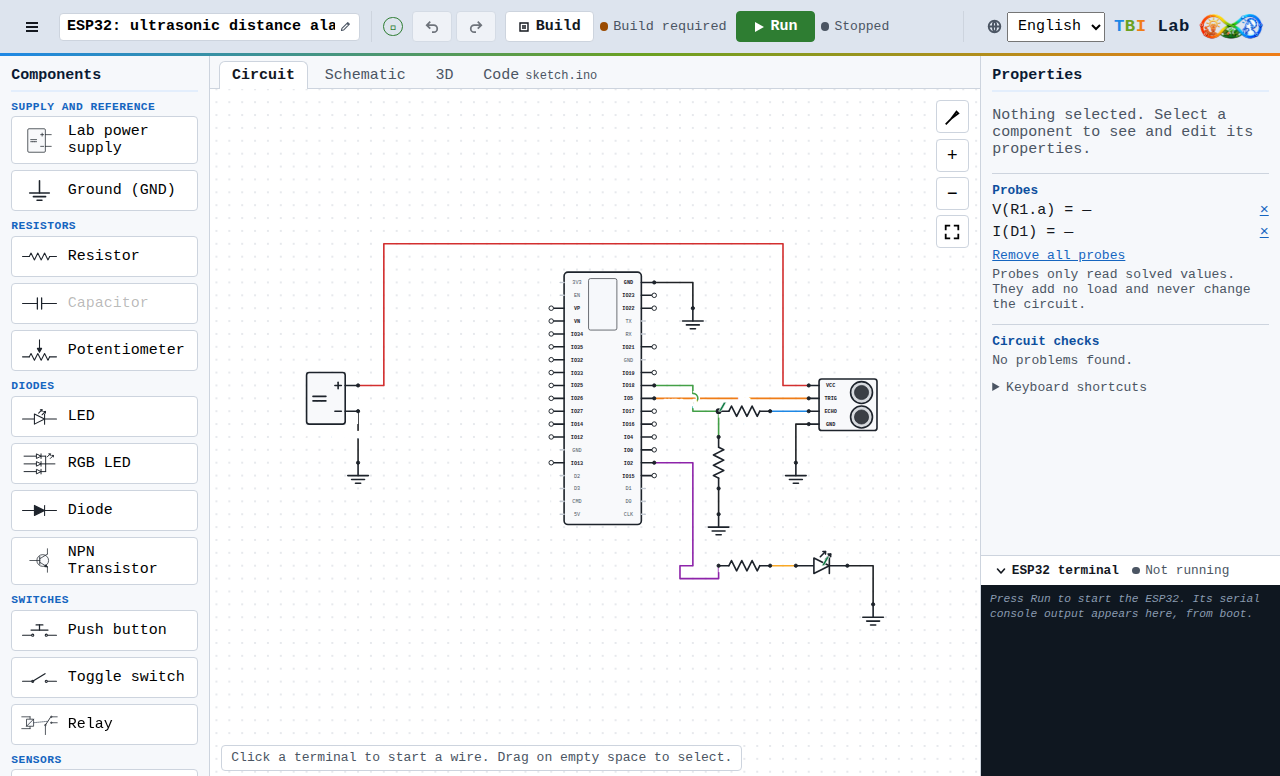
The Circuit view of a built-in example: an ESP32, a distance sensor and an LED. 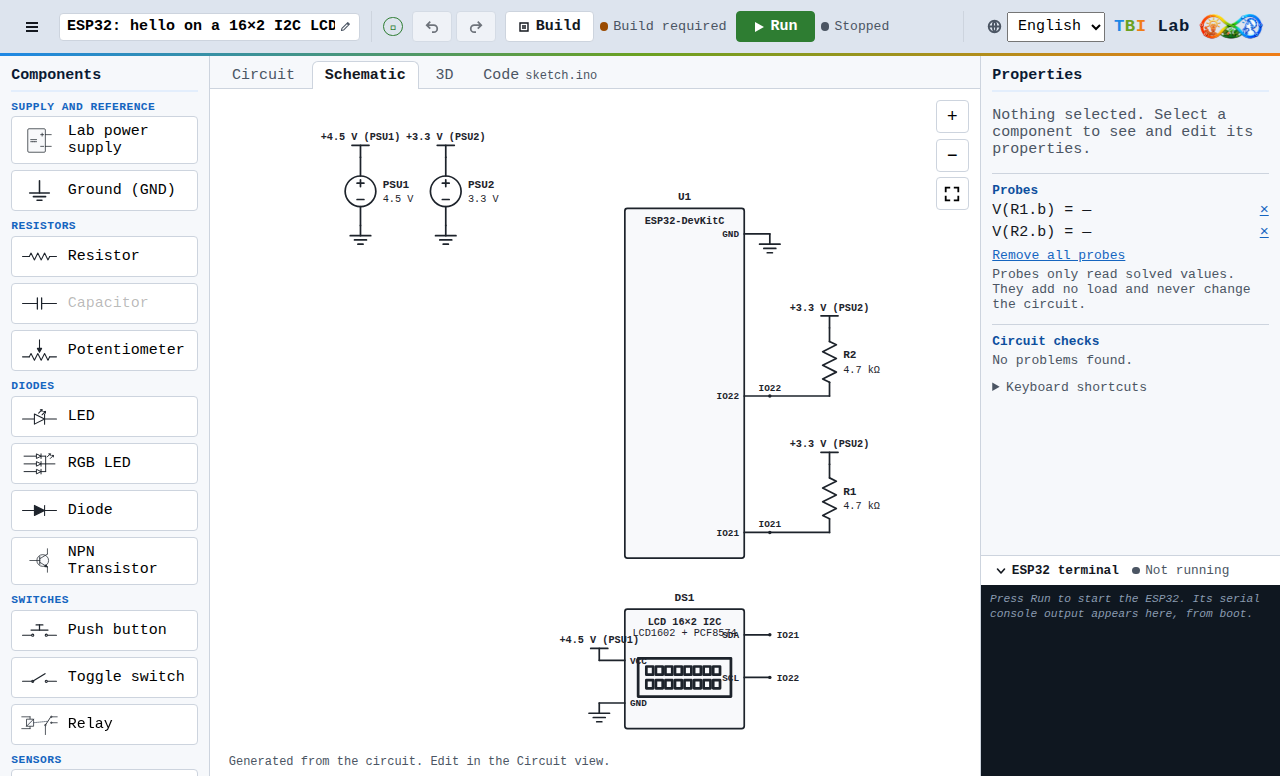
The Schematic view, generated from the same circuit (I2C LCD example). 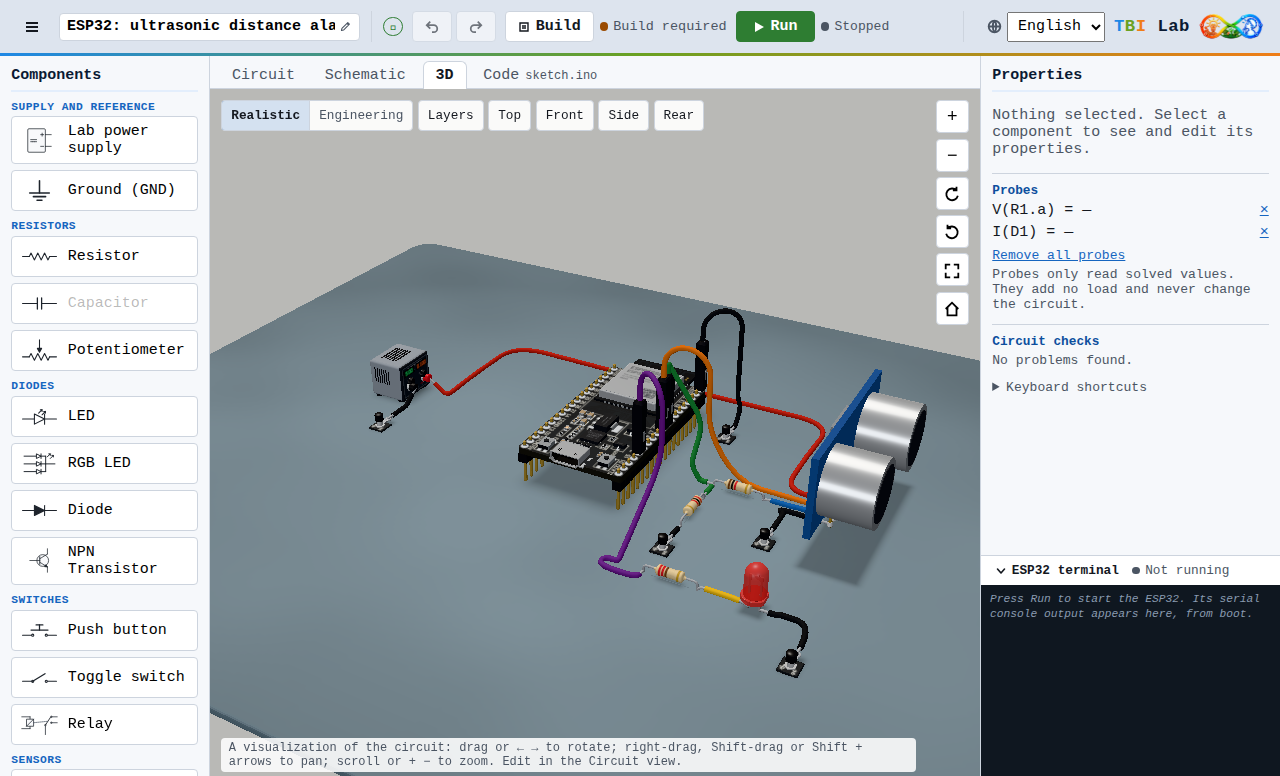
The 3D view of the same example.
Who it is for
Makers and beginners who want to see why a circuit works, and professionals and engineers who want to check an idea before they solder. It is not a replacement for professional PCB or CAD suites.
Free Alpha, limited places
TBI Lab is in an early access program. It is free, places are limited and applications are reviewed manually. Read how it works on the Alpha program page.